Making UE5 Slug Plugin
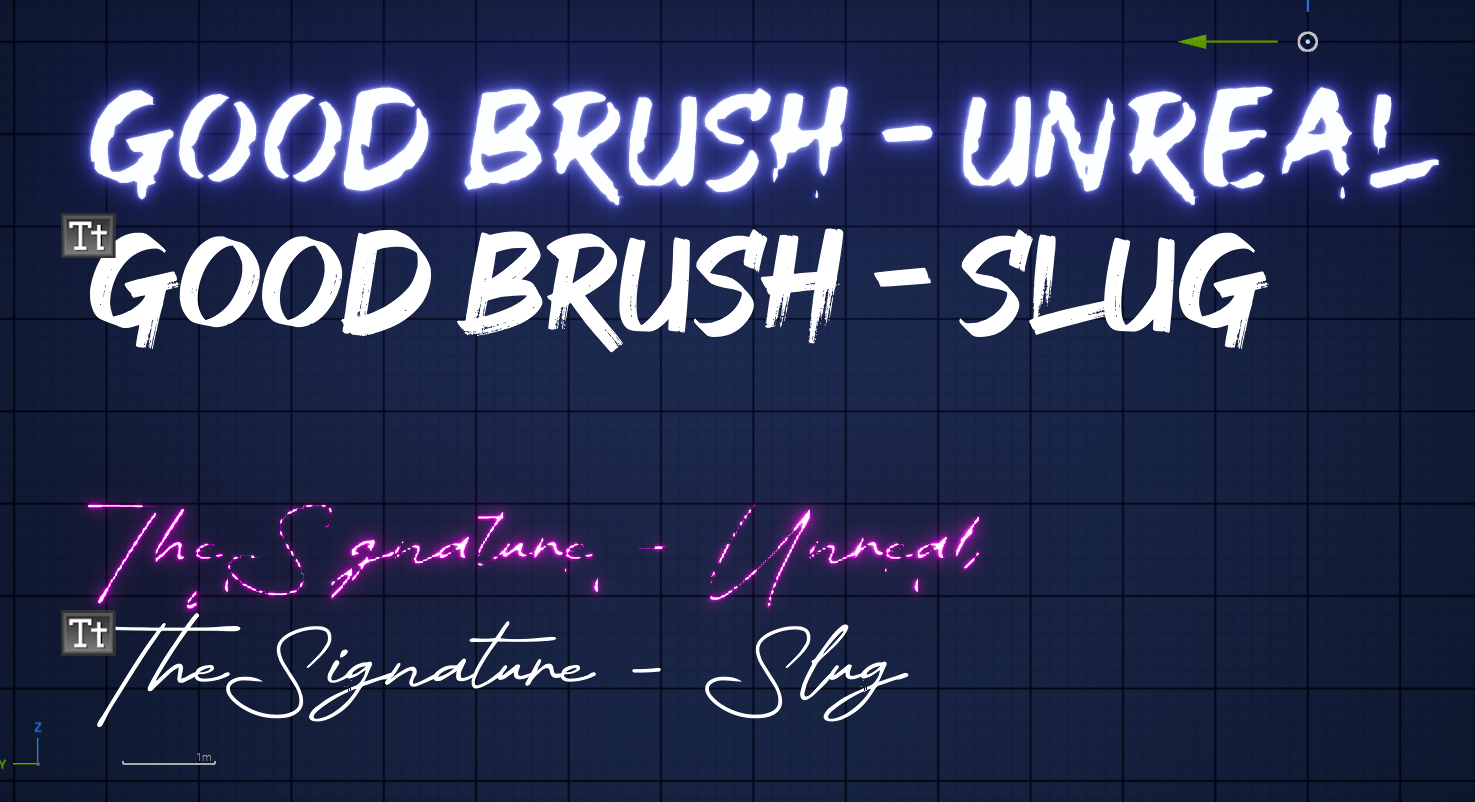
Motivation and Goals#
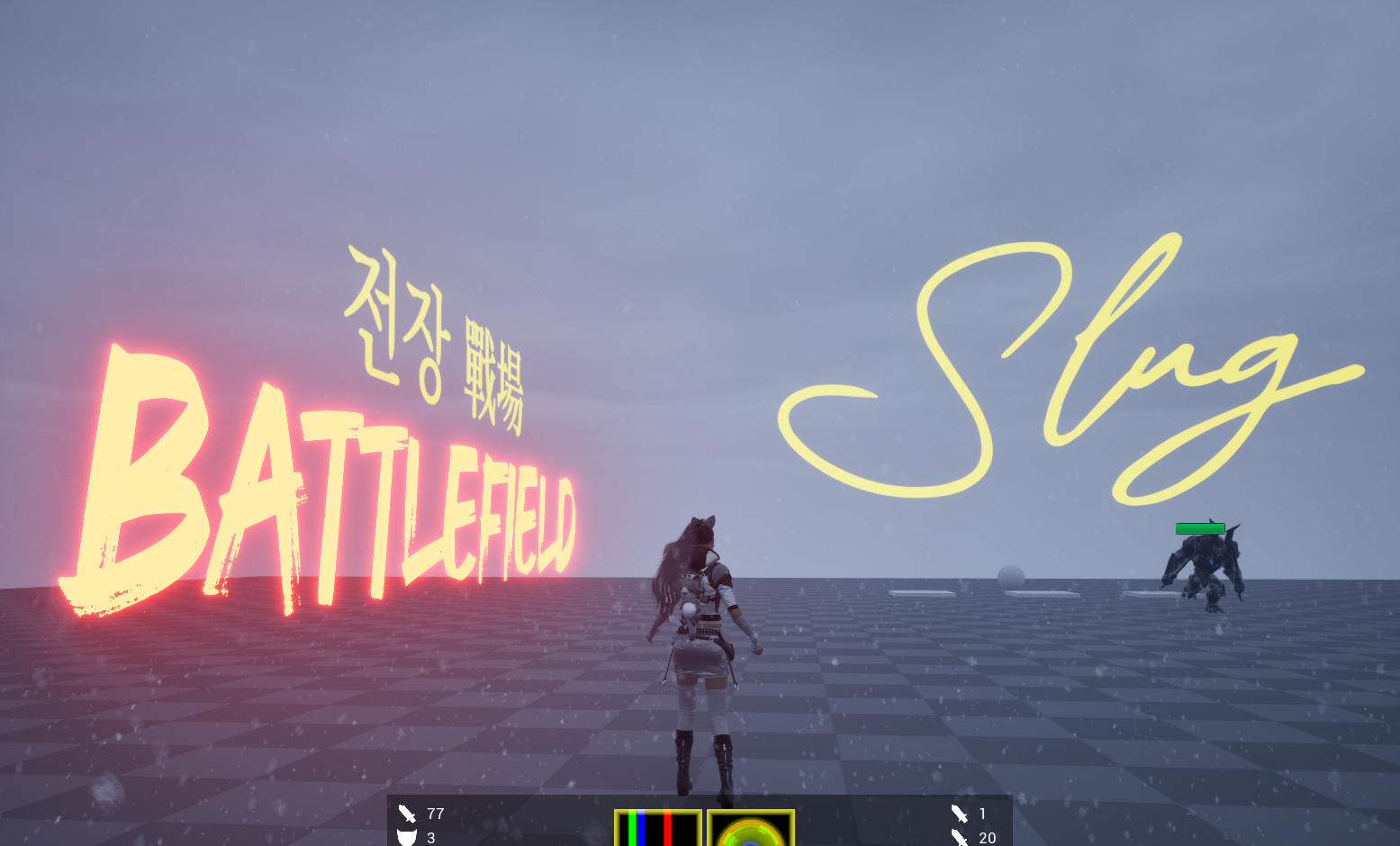
Let me introduce two particular ways to render 3D text in Unreal Engine.
The first is placing a UTextRenderActor in the world. Under the hood, the actual rendering is handled by UTextRenderComponent, which generates text geometry from a font asset. One of the available font workflows uses offline-cached glyphs, meaning the glyphs are pre-rasterized into onto font atlases textures ahead of time. Here's the problem:
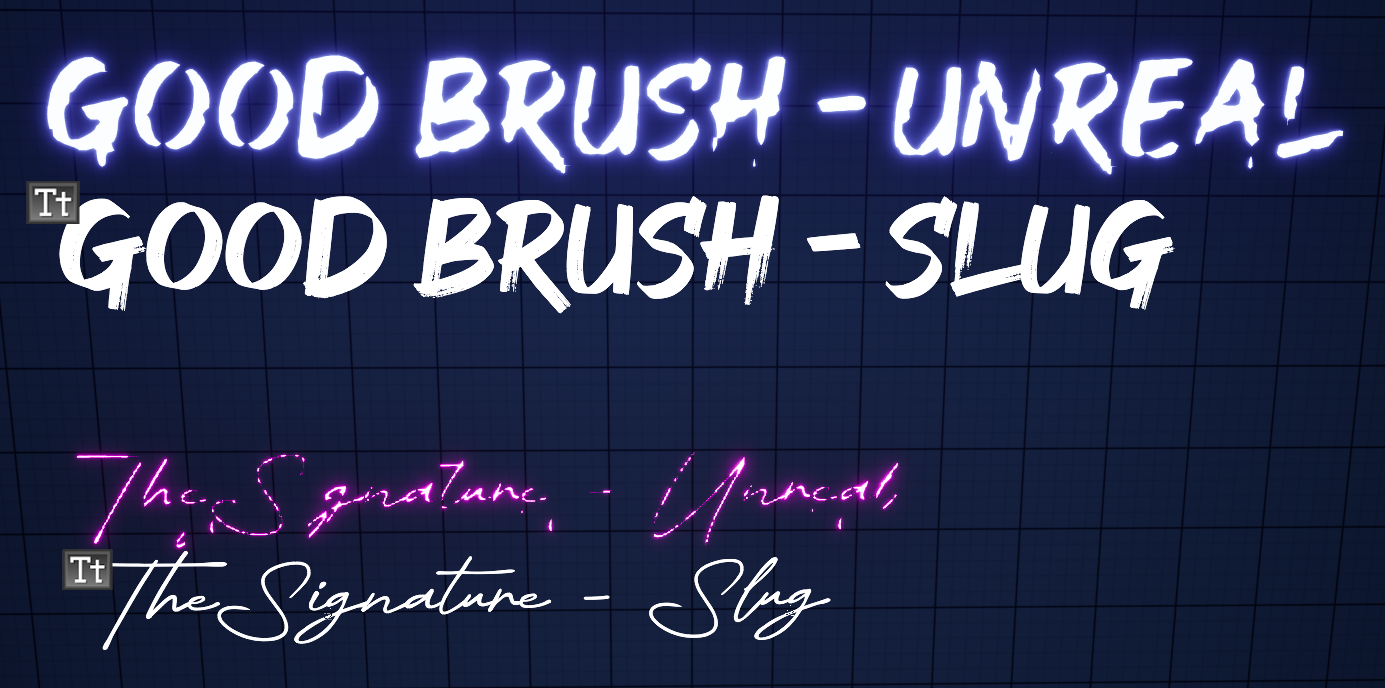
Just look at the emissive text on the wall. Details are lost, and thin glyphs don't render correctly. It's intolerable. To get decent results, one must fight through a cryptic collection of options in the font asset, reimport the font, check the result, and repeat until it looks "fine". It's an ad hoc, time-consuming process, and it's especially annoying when you're trying to maintain a high visual standard while designing a level.
Alternatively, you can draw UWidgetComponent in the world. The quality seems better for some reason, even though it also pre-rasterizes glyphs, but that comes with its own set of problems. A UWidgetComponent renders a Slate/UMG widget to a render target, which is then displayed as a surface in the world. Depending on its redraw settings, the widget may be rendered every frame. In my opinion, that's overkill, for a simple non-interactable piece of text. If you have many pieces of text, maintaining a separate render target for each widget can makes the approach even less attractive, and we'll get into why later.
See the problem? There is no in-between. So, I decided to roll my own 3D text plugin, and here's my goal: preserve the quality while making it fast enough for artists to just drop in the text and call it a day.
Prerequisites#
A basic understanding of typography and text rendering is necessary to fully grasp what's going on. Familiarity with computer graphics helps as well.
Slug#
I learned about Slug at the Better Software Conference 2026. Slug is a GPU-based text-rendering technique that evaluates glyph outlines directly from Bézier curves at render time rather than relying on pre-rasterized glyph textures. This allows it to preserve fine details even when text is viewed at large sizes or from oblique angles.
Slug has been used commercially by major game studios, including Ubisoft and Blizzard. Its licensing status changed in 2026, making it possible for me to use the technology for this project. Instead of baking a glyph atlas ahead of time and hoping it survives whatever size and angle the text happens to be viewed at, I can evaluate the original vector outlines directly during rendering. Perfect.
LLM#
Unreal Engine is indeed one gigantic codebase, and I had never really dug into its rendering pipeline before. I felt like it was finally time to step up and get a better grasp of Unreal's source code, and I found LLMs to be surprisingly helpful in getting me started. Because of their non-deterministic and speculative nature, I generally try to avoid relying on LLMs for programming. But in this case, all I needed was a starting point. For that, it turned out to be useful, and I've got to give credit to LLMs this time.
Game to Renderer#
As I wanted to draw a 3D texture actor in the world, vertex factory seems better than global shader and RDG which is done after the post processing.
Let's take a look at each puzzle piece.
FStaticMeshVertexBuffers encapsulates vertex attribute buffers like PositionVertexBuffer and ColorVertexBuffer in SOA, and each vertex buffer inherits FRenderResource, which encapsulates and manages RHI resource. For those who arent' familiar, RHI is short for Render Hardware Interface, which is just a layer top of graphics APIs, such as Direct3D 11, 12, or Vulkan. Don't blame me. It is what it is.
VertexFactory allocates vertex buffer in the GPU, following the vertex layout specified on the CPU side. Most mesh components use FLocalVertexFactory. LocalVertex has position, texture coordinates, color and tangents as its attributes. We'll be using this as it needs all the attributes specifieid in the sample shader code provided by Eric Lengyel himself on GitHub.
Four vertices and six indices per glyph. Nothing fancy. UV0 carries the glyph's own design space coordinates, and UV1 smuggles in the two numbers the material has no other way to receive: where in the curve texture this glyph's control points start, and how many of them there are. FDynamicMeshVertex already ships with four channels. Neat.
All of it gets tied together in FSlugTextSceneProxy, which derives FPrimitiveSceneProxy. It hands the renderer something to draw. It owns the vertex buffers, the index buffer, the vertex factory, and a FMaterialRelevance computed once from whatever material happens to be sitting in the component's material slot. None of this moves again once it's baked. The only thing that ever gets touched afterward is the curve texture, and only when a glyph shows up that hasn't been seen before.
Font Asset to Pixel#
Font fallback is resolved first, per codepoint, by walking the fallback chain, since HarfBuzz has no notion of fallback. Consecutive codepoints in a paragraph that land on the same face are grouped into a run, which makes ligatures or Hangul composition possible. Shaping a run then gives every glyph its index, cluster, and advance/offset immediately, with no knowledge yet of line width.
Line-breaking is a separate step. It decides where to cut the glyph stream into lines, using break candidates ICU found up front. Only after that does layout hand off line/advance data to build each glyph's quad in the vertex buffer.
FreeType outputs outline for each glyph. Only quadratics can be fed into Slug, so a cubic segment are approximated on the way in by intersecting their two tangent lines and using that intersection as the new, single control point. This code is bind as a callback in FreeType's structure and called during FT_Outline_Deceompose. Each distinct glyph gets it outline control points exactly once, keyed by font and glyph index, independent of where or how often it appears. Every control point that comes out of this gets appended one to one shared float texture.
None of that curve math has actually run yet by the time a pixel gets shaded. SlugCoverage.ush, pulled into the material through a Custom node, reads however many control points the vertex shader says this particular glyph owns, and for every covered pixel, walks those curves and decides, from the real, exact outline and not a cached approximation of it, whether that pixel sits inside the glyph or outside it. No atlas, no baked bitmap, just curve math, every pixel, every frame.
Performance#
I compared 100 Slug text boxes against 100 actors with a UWidgetComponent attached, each displaying the same text. Both use a fairly complex font with brush-stroke details, which gives UWidgetComponent an advantage over Slug as the number of curves increases, while UWidgetComponent itself is simply sampling the glyph atlas.
The result was a win for a Slug, averaging more than 20 FPS. I was skeptical at first, since the computation seemed fairly heavy, but there was more to the story.
One interesting thing about UWidgetComponent was that, no matter how small the text became on screen as the camera retreated, there was virtually no difference in performance. As it turned out, the cost of sampling and rasterization wasn't the main concern.
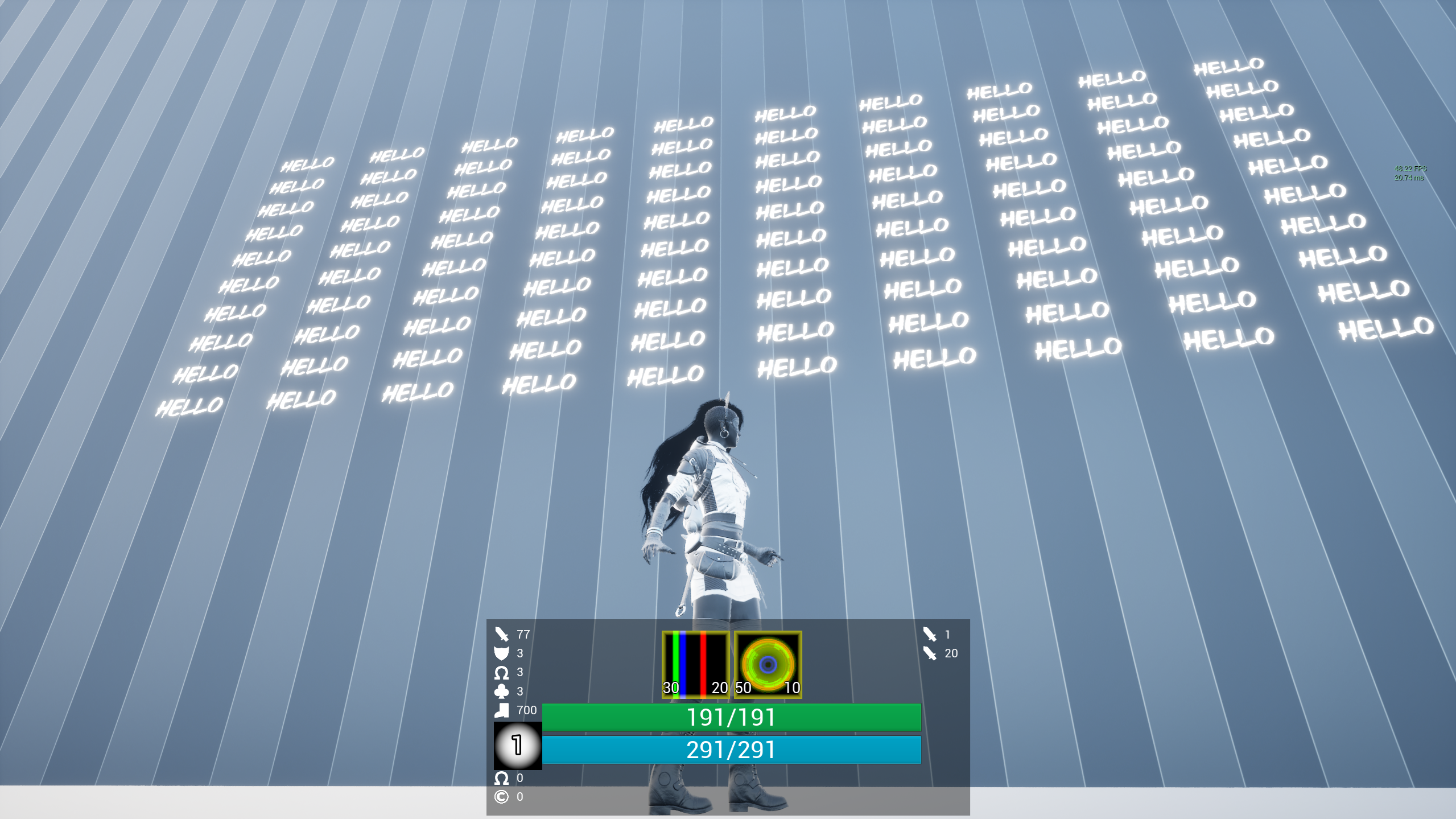
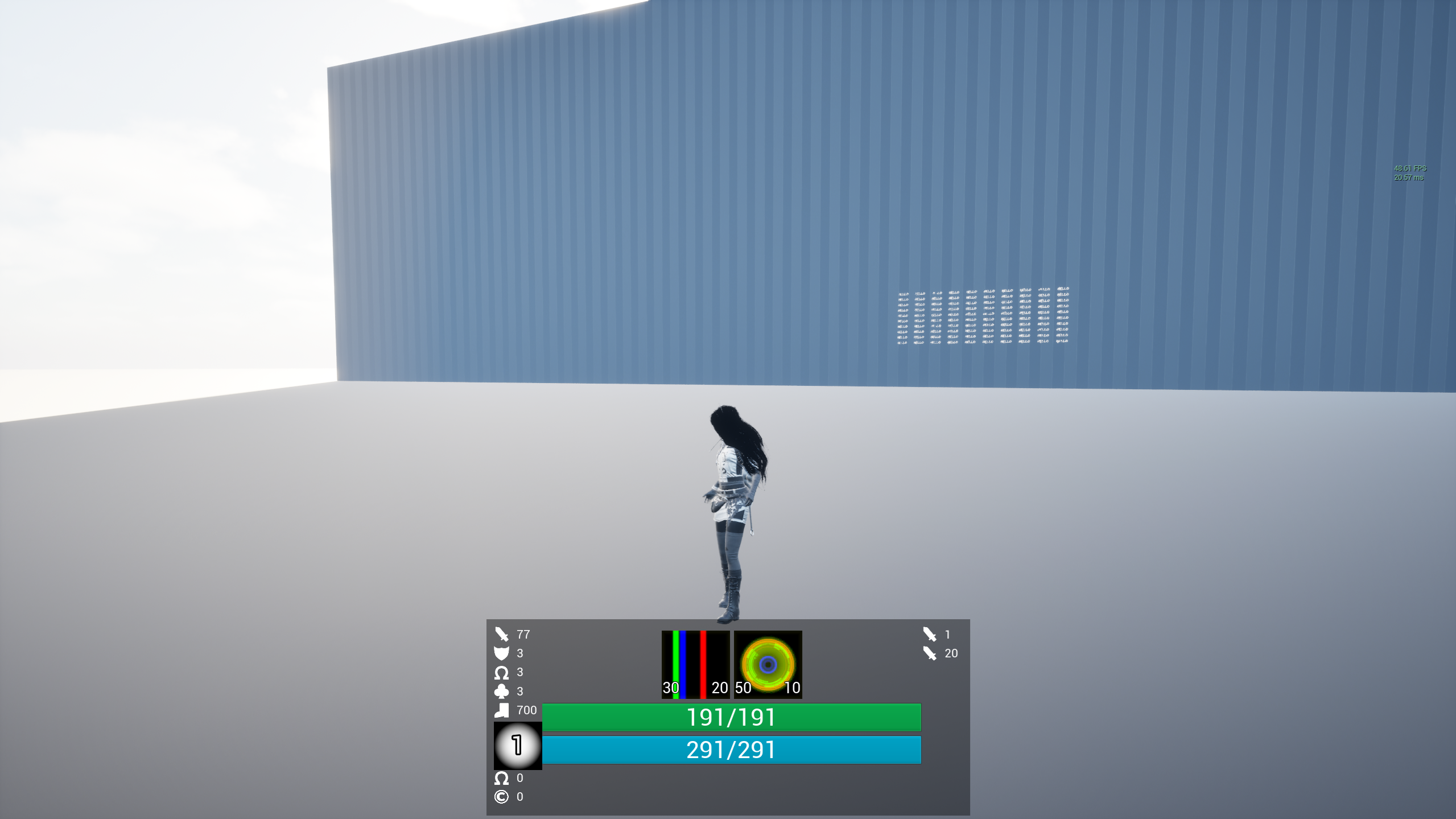
The graphics queue was waiting for the compute queue to finish its work, after which it could clear the corresponding render target, sample the glyph atlas, and draw to the render target. Binding the render target, clearing it, and writing to it are operations that can't be parallelized away. Each of them is its own pass. There were N of them, all processed sequentially, and that was the "real" cost of it.
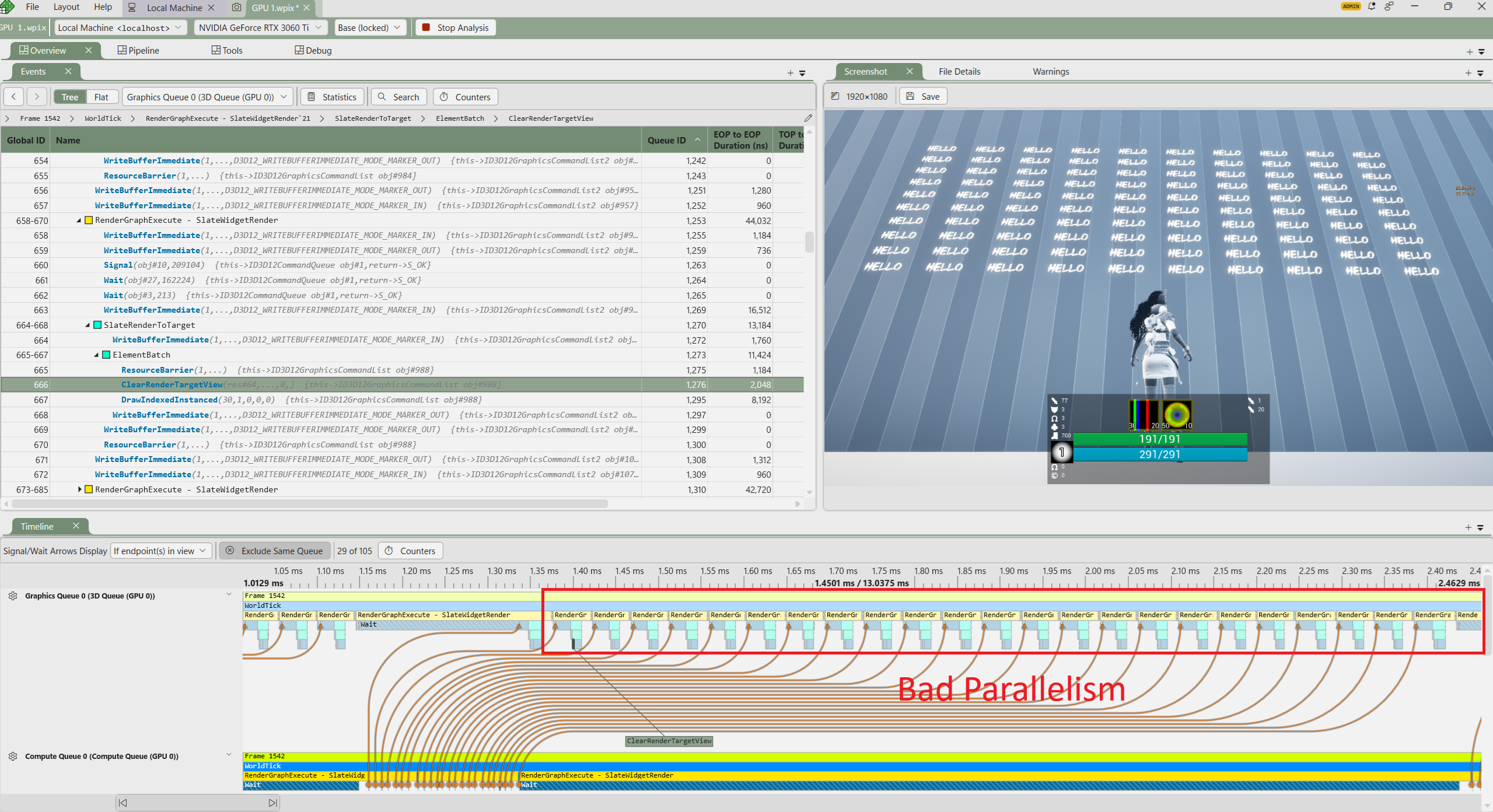
Slug implementation, on the other hand, is highly parallelizable. Also, its computation cost depends on how much screen space the text occupies, since coverage is computed per pixel. In other words, small text on the screen incurs an inifinitesimal amount of computation, as it should.
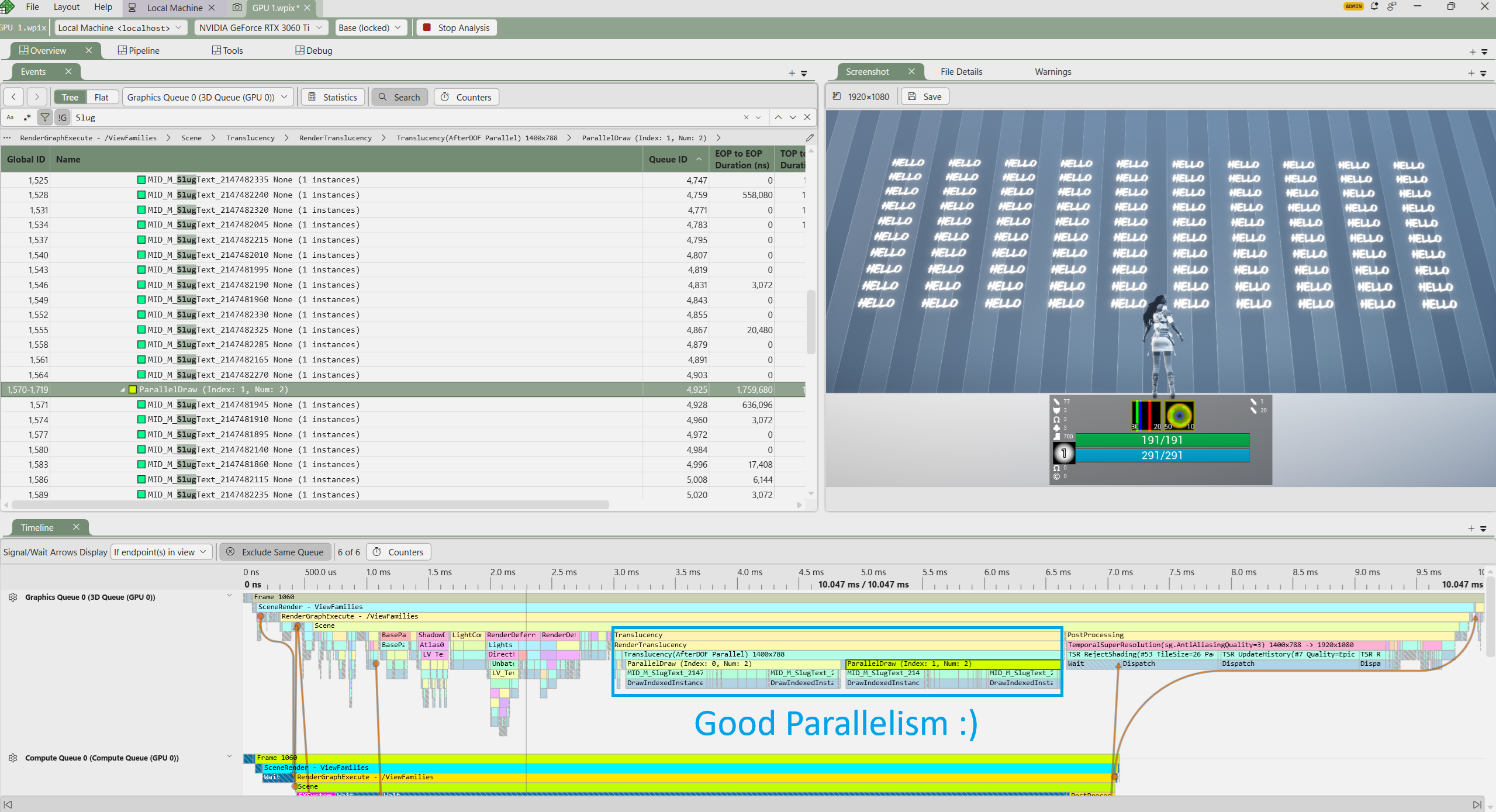
To hammer it home, I tested with Roboto, which is a fairly simple font. Slug ran at a solid 120 FPS, while UWidgetComponent remained the same performance as before.
Wrapping Up#
Slug's performance strongly depends on the complexity of the font, so if you're dealing with a font with a lot of detail, it's worth checking the performance first. For general use, it might make sense to simply build an enhanced TextRenderActor, but I digress.
I am confident, however, that Slug delivers the best quality of all the available options. So let's just smash the problem with a large hammer and call it a day. Just watch out for complex fonts.
After all, it was just handful of elbow grease around HarfBuzz and FreeType, a bunch of data logistics, and who-knows-what Unreal Engine code. I'd say the algorithm is the real juice, the "real" knowledge worth taking away from this.
That said, none of the underlying technique is mine. All credit for that goes to Eric Lengyel. I simply worked it out from his paper and assembled the puzzle pieces.
References#
- Eric Lengyel, GPU-Centered Font Rendering Directly from Glyph Outlines, Journal of Computer Graphics Techniques, Vol. 6, No. 2, 2017.
- EricLengyel/Slug — reference vertex/pixel shaders for the Slug algorithm.
- Eric Lengyel, A Decade of Slug — the 2026 patent disclaimer that made Slug free to use.